Document management
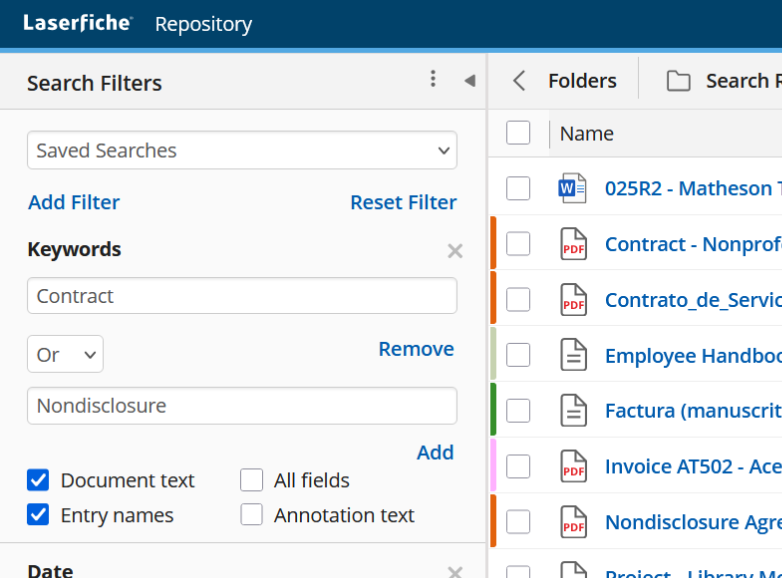
Find the right record.
Search document text and indexed information, then narrow the results. Give teams a practical way to retrieve the records they need.
Laserfiche · Self-hosted & Cloud
Bring documents, data and decisions together. Ascentas helps you design, implement and improve Laserfiche—from a searchable document repository to connected workflows and controlled records.

What is Laserfiche?
Laserfiche brings document management, intelligent capture and process automation together—helping you organise information, control records and move work forward.
Content, processes
and intelligence.
Scan, import and extract information
Organise, search and manage versions
Forms, low-code and prebuilt solutions
Smart Fields and Smart Chat
Connect applications and data
Access, audit and retention controls
Ascentas designs the solution around your organisation. Features depend on deployment, version and subscription; AI results need appropriate checking.
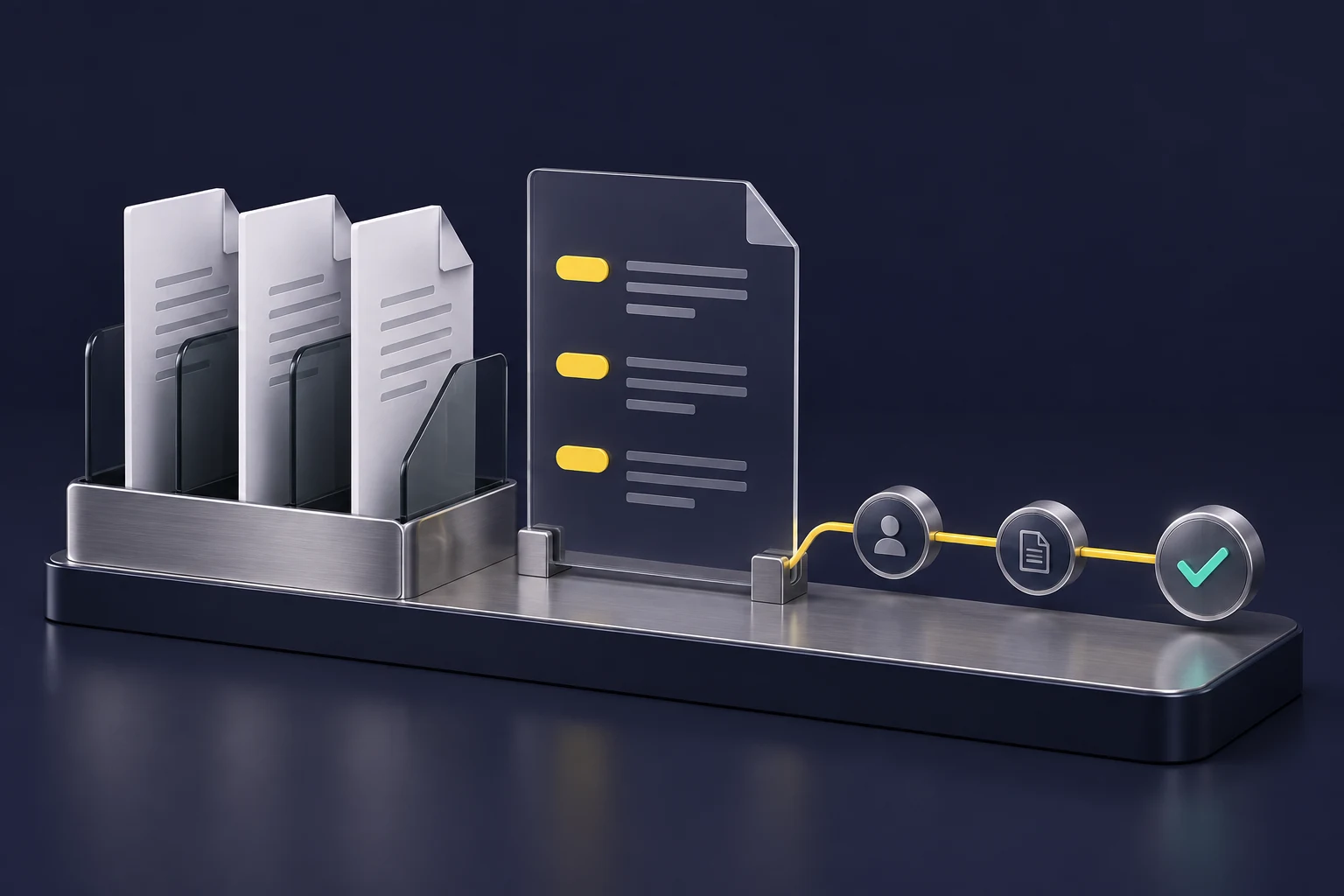
Document management
Search document text and indexed information, then narrow the results. Give teams a practical way to retrieve the records they need.
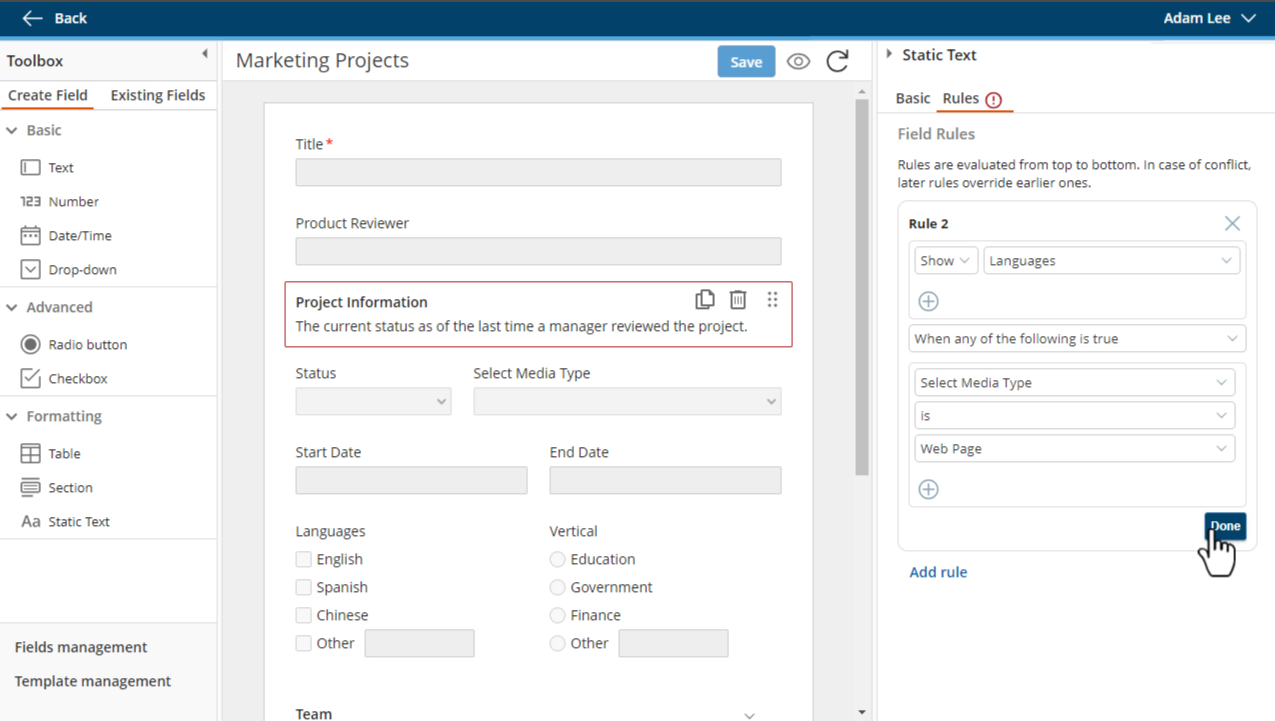
Structured information
Give records useful fields, categories and validation rules. Consistent information makes documents easier to find and use in a process.
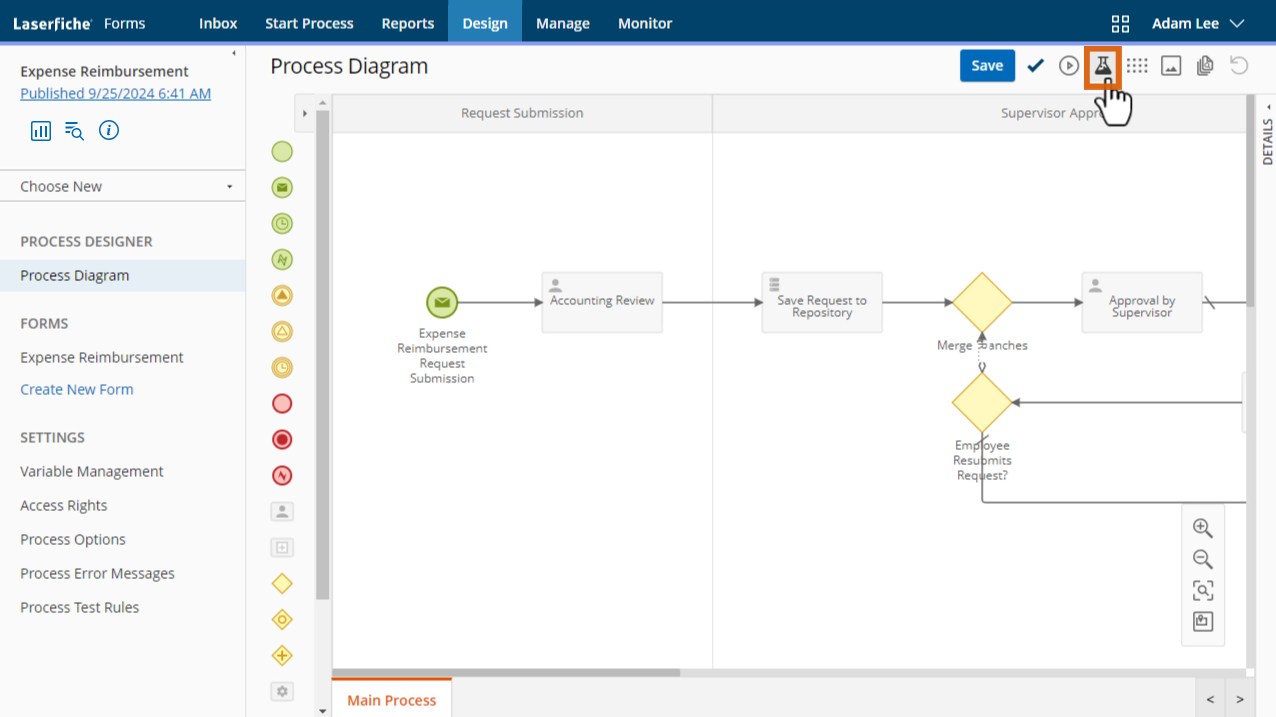
Forms & workflows
Collect a request, route it for review and save the supporting information. Define who acts next and what happens when an exception occurs.
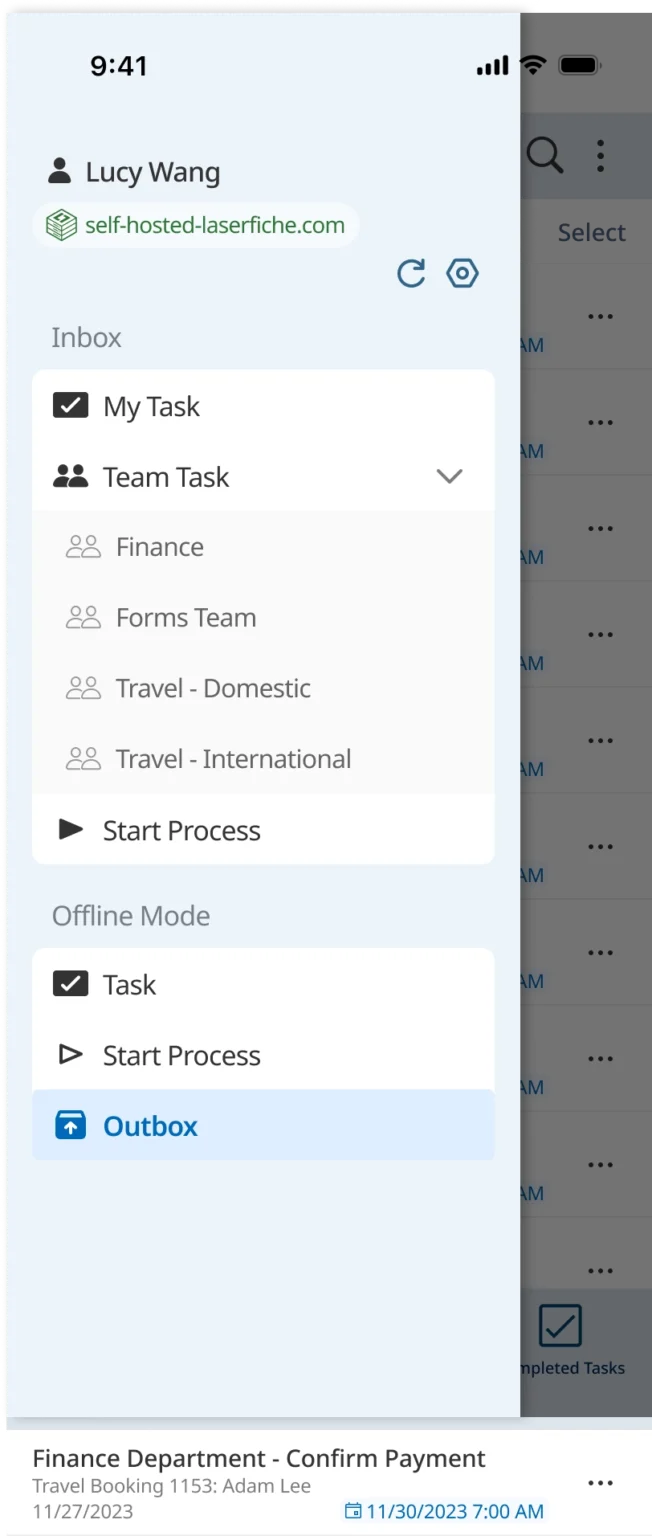
Work beyond the desk
Use mobile forms and task access when work happens away from the office. Support the people who need to submit information or take the next action.
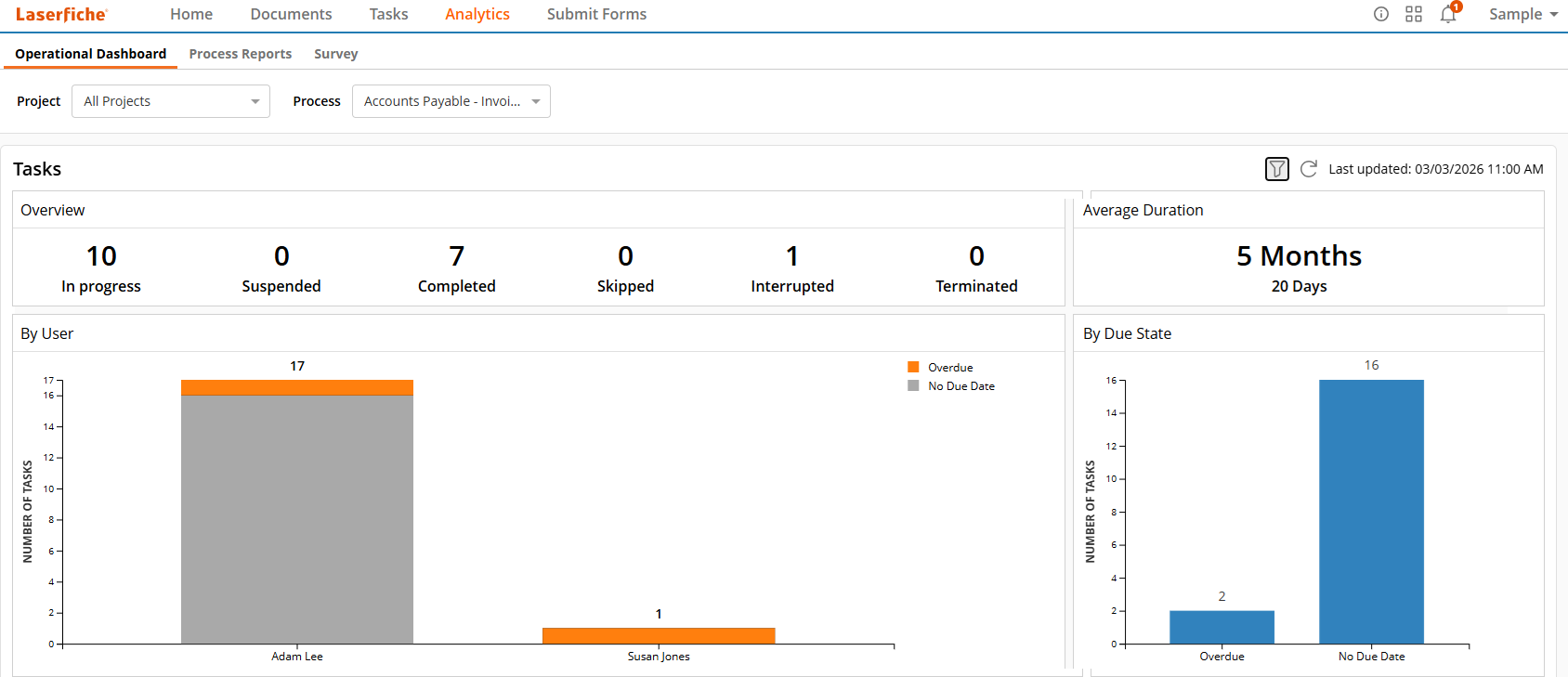
Process visibility
Review outstanding tasks, completion and workload in one place. Use reporting to spot delays and guide improvements to the process.
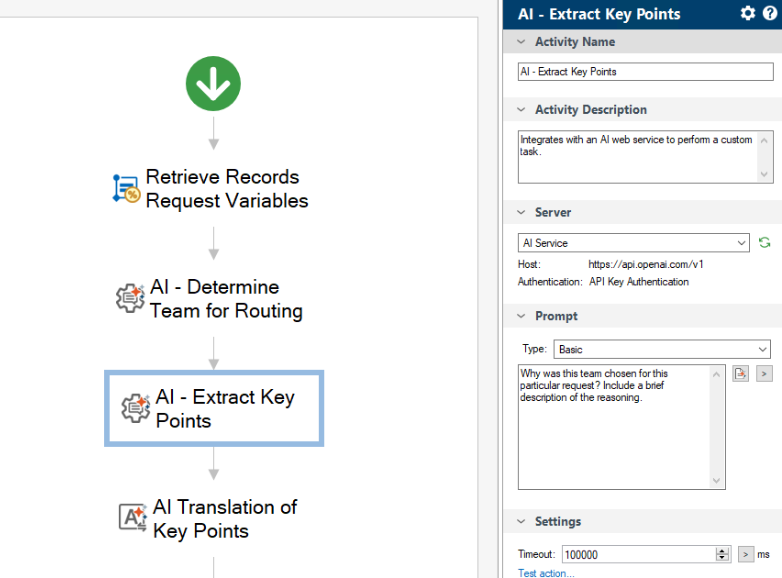
AI-assisted processes
Bring AI into a defined workflow—for example, extracting key points or translating content. Keep validation and human decisions where they matter.
Genuine product screenshots © Laserfiche. Examples span Cloud and self-hosted releases; interfaces and features depend on version, subscription and configuration. Images show vendor demonstrations, not Ascentas customer systems.
Further product information: document management, workflow automation andLaserfiche AI. The custom AI workflow pictured uses an external AI service; it is not the Smart Fields or Smart Chat interface.
Two deployment routes
Self-hosted Laserfiche and Laserfiche Cloud share an information-and-process purpose, but differ in infrastructure responsibilities and available capabilities. Neither is automatically the right answer for every organisation.
Your managed infrastructure
Vendor-managed service
Check current self-hosted capabilities,subscription options anddeployment-specific APIswith Ascentas before selecting a route.
Licensing, without the guesswork
Laserfiche Cloud offers subscription tiers with different capabilities and allowances. Start with the work your team needs to do.
A smaller-scale starting point for document storage and organisation.
Forms, process automation and integration for connected day-to-day work.
Broader administration and records-governance capabilities for use across departments.
Expanded security and resilience options for larger-scale requirements.
Deployment, tier, user numbers and roles, storage, AI/API allowances and any add-ons. Ascentas scopes implementation, migration, integration and support separately.
Check the installed version and existing agreement first. The Cloud tiers above are not a like-for-like self-hosted licence matrix. We help confirm the applicable subscription and entitlements.
Ascentas provides a tailored proposal for your licences and services. Packaging and entitlements are confirmed against your requirements. Discuss licence options with Ascentas →
What that makes possible
Example solutions, shaped around your records, people and approval rules.
Keep the invoice, purchase-order context and approval history together, with a defined route for mismatches and exceptions.
Help authorised teams find the right case, education, care or business record, while managing access, changes and retention.
Connect supporting documents to contract reviews, onboarding tasks or policy acknowledgements, with clear ownership of the next action.
How Ascentas can help
Scope varies by environment. The appropriate engagement is confirmed through discovery rather than implied as a standard package.
Clarify information, process, user and technical requirements before committing to a route.
Shape folders, metadata, access and working conventions around retrieval and use.
Configure agreed capabilities, test realistic scenarios and support controlled adoption.
Connect documents to reviews, decisions, tasks and appropriate business rules.
Exchange approved context with other systems where interfaces allow.
Assess current friction, adoption and opportunities for a more useful environment.
A controlled route
Product capabilities, licensing and deployment options can change. Any proposed solution must be checked against the current Laserfiche environment and approved requirements.
Define the problem, users, information and intended outcome.
Understand current versions, deployment, licensing and dependencies.
Shape information, workflow, access and integration around the evidence.
Implement an agreed scope with suitable controls and documentation.
Test retrieval, decisions, exceptions and realistic working scenarios.
Prepare owners and users for operation, support and future evolution.
New work or customer support?
Talk to Ascentas about a new project or improvement. For existing account, billing or service questions, choose the Ascentas Customer Portal on the Login page.
Discuss a new implementation, improvement, integration or migration requirement.
Contact Ascentas →Find the right support route for your existing Ascentas services.
Go to Login →Connected services
Laserfiche Enquiry
Tell us whether you are planning, implementing or improving Laserfiche. Exact technical detail is not required.